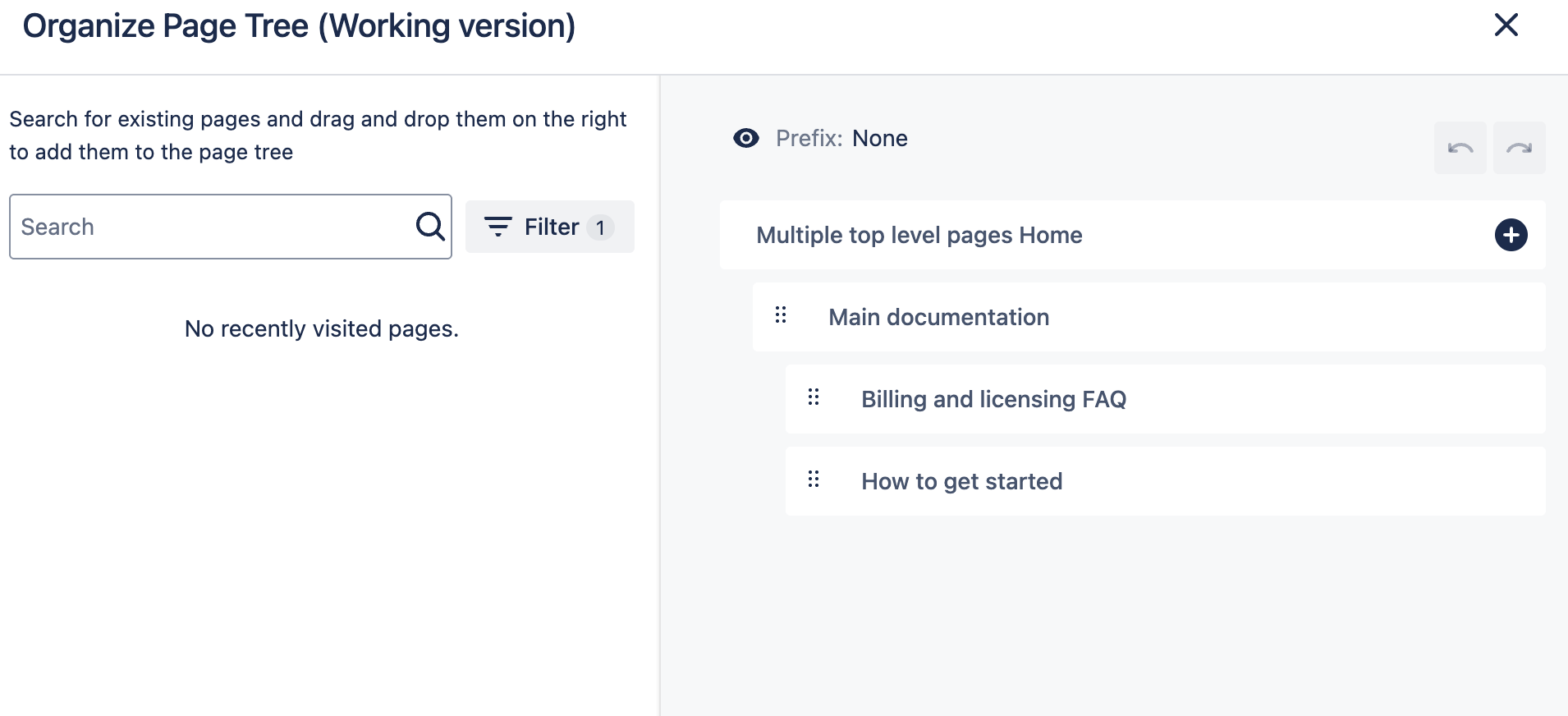
If your space contains multiple top-level pages, you can decide before the conversion how they should be treated in the Scroll Content Manager space.
Depending on the purpose of your top-level pages, you can choose one of the following approaches:
OPTION 1: If You Want to Include Top-Level Pages
If your top-level pages are regular content pages that should be included in your document for publishing and versioning, no action is required before the conversion.
They will automatically become part of the document structure.
OPTION 2: If You Want to Exclude Top-Level Pages
If your top-level pages function as an include library or some internal pages (for example, task lists), you may want to exclude them from the document and keep them unversioned.
In this case, you can apply labels before the conversion to define their location in the page tree that will be created during the conversion.
For more information about how to use labels, refer to the labeling documentation.
Example
A source space has the following page tree, where include library and task list are unversioned pages.
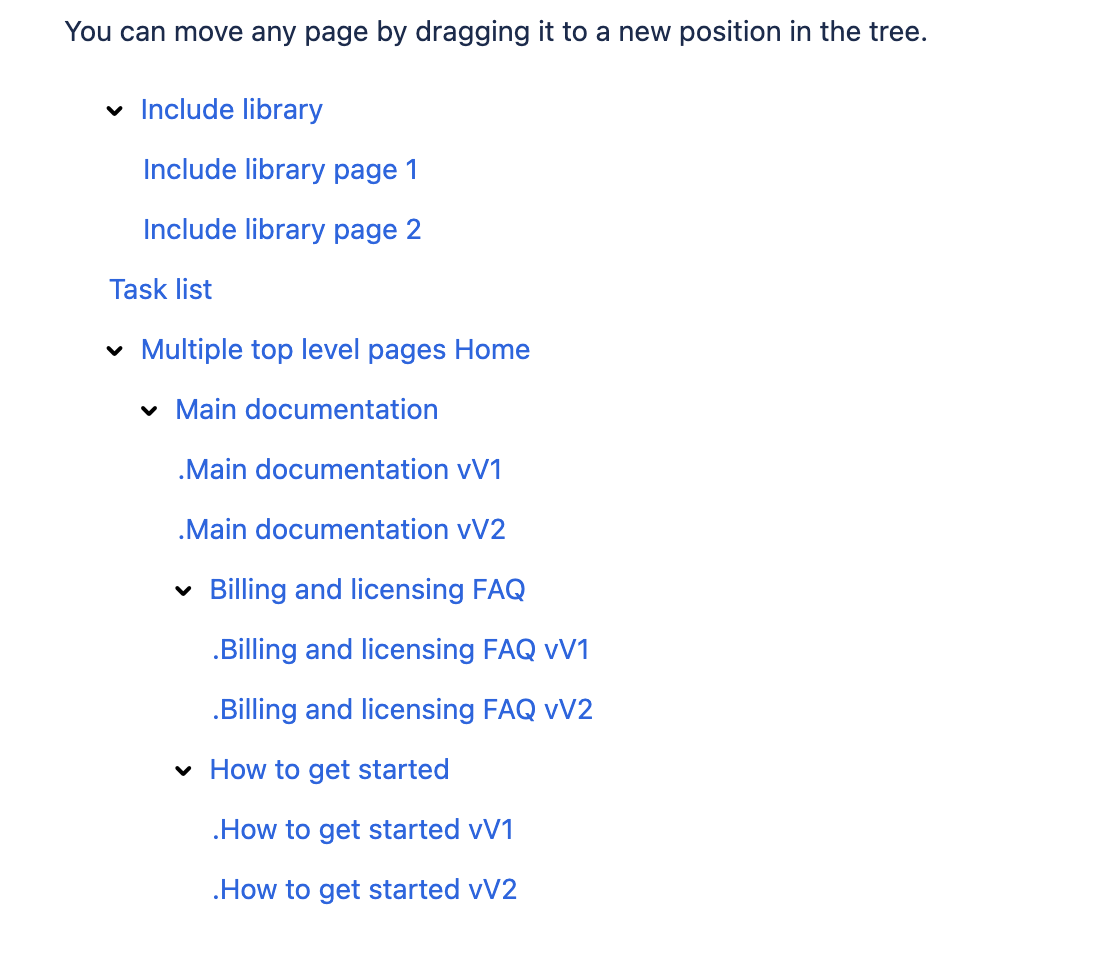
Option 1: Include Top-Level Pages
When converting this space to Scroll Content Manager as it is, all pages will become part of the document (called “Product documentation” in this example) for publishing and versioning.
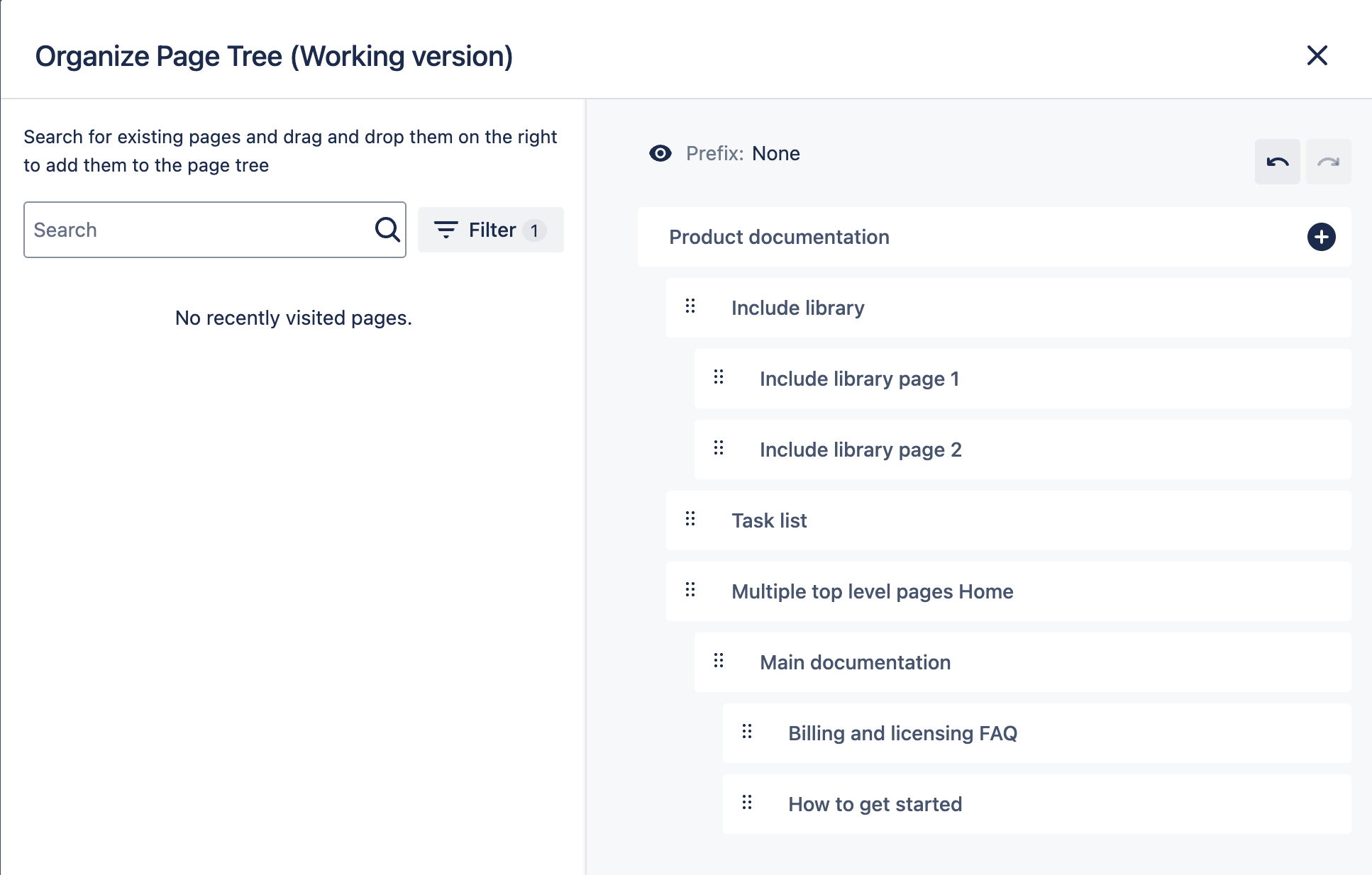
Option 2: Exclude Top-Level Pages
Before converting this example space to Scroll Content Manager, we label the other top level pages the following way:
-
Using label vsndoc-include-library for “Include library” pages
-
Using label vsndoc-no-documentation for the “Task list” page.
As a result only the main documentation is part of the document called “Product documentation”. Task list and include library pages are not part of the document and won’t be included in publishing or versioning.