
Starting with Scroll Versions 4.8.13, we've given the health check step in the conversion process a face-lift, making it easier to understand and act on before you proceed with the conversion.
Clearer categorization
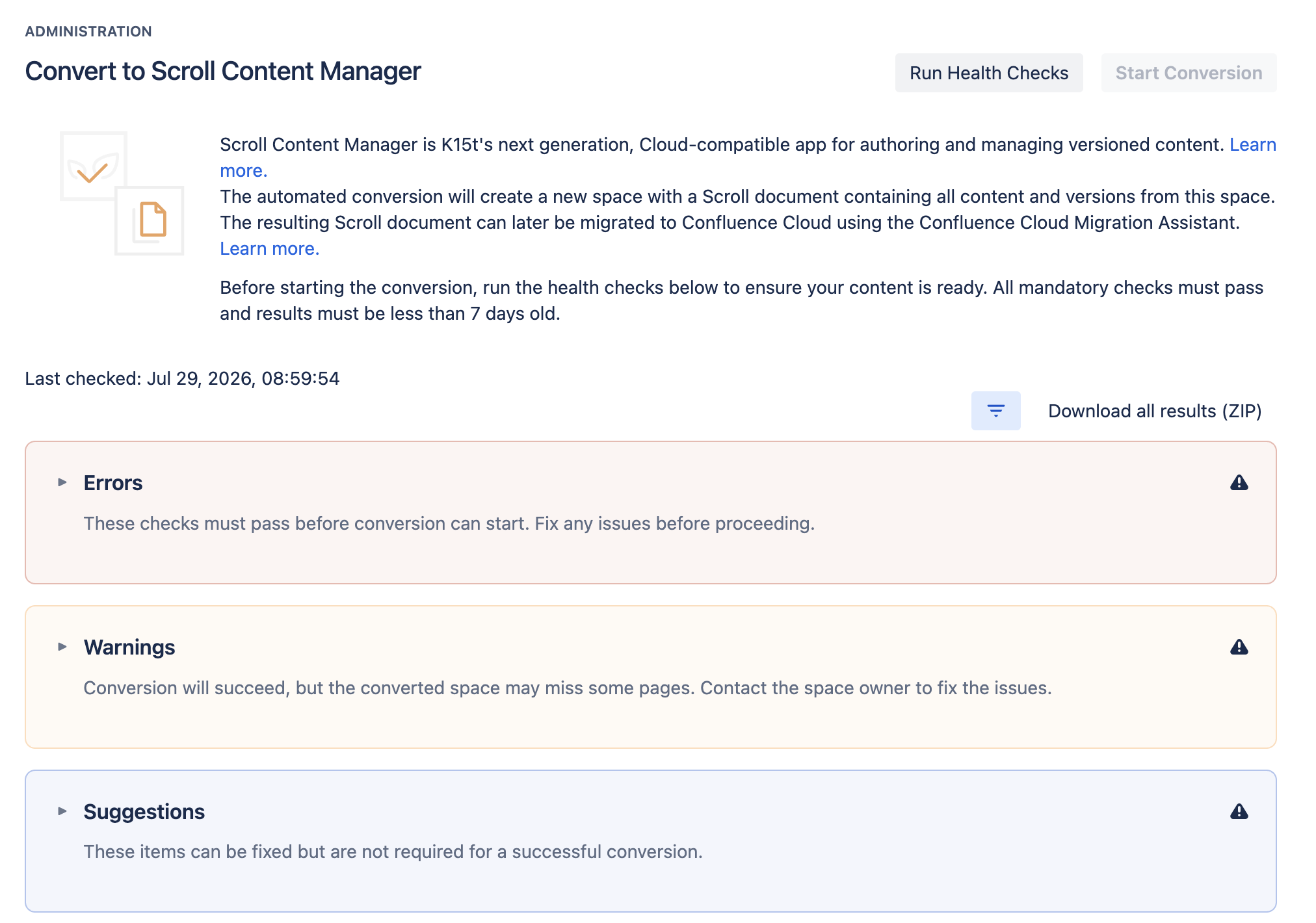
Health check results are now organized into three clear categories, so you know exactly what needs your attention:
-
Errors – issues that must be fixed before conversion can proceed
-
Warnings – items that require a decision on your part
-
Suggestions – recommendations to help you get the best results
Download what you need
You can now download health check results by category, or all at once, depending on what's most useful for your conversion workflow.
Focused, actionable export
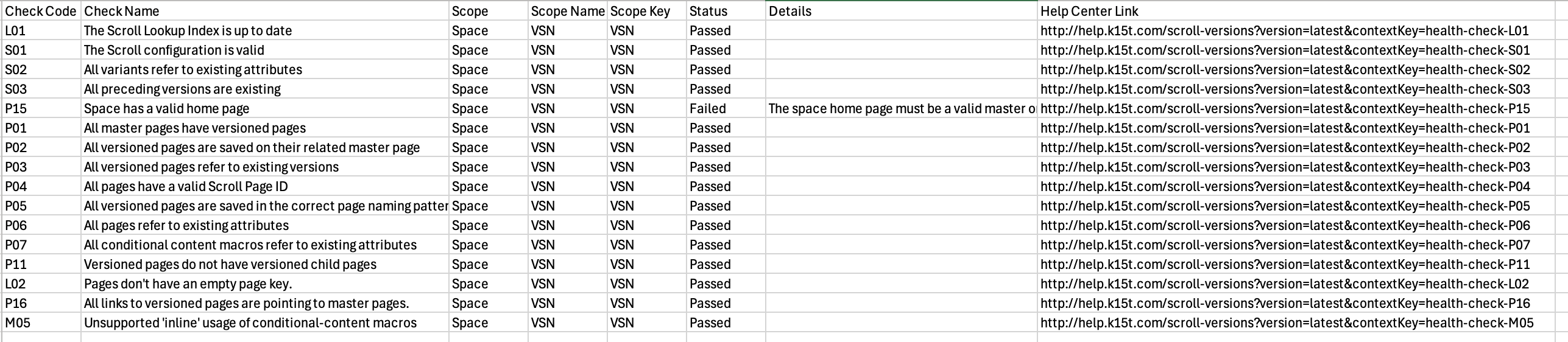
The downloaded .csv file only includes information that's relevant to you, along with direct links to our Help Center for each check, guiding you step by step on how to resolve any issues.
Health check is mandatory
Passing the health check remains a mandatory step in the conversion process. A conversion can only be started once a passed health check newer than 7 days is on record, ensuring the content you convert meets your expectations every time.
In rare cases, for example, if passing health checks is blocked due to an issue on our side, or if you'd simply like to preview the conversion experience before your health check is fully resolved, an override is available. This isn't intended for routine use; if you find yourself needing it, please reach out to our support team, who can advise on the best path forward.